Title
Excerpt
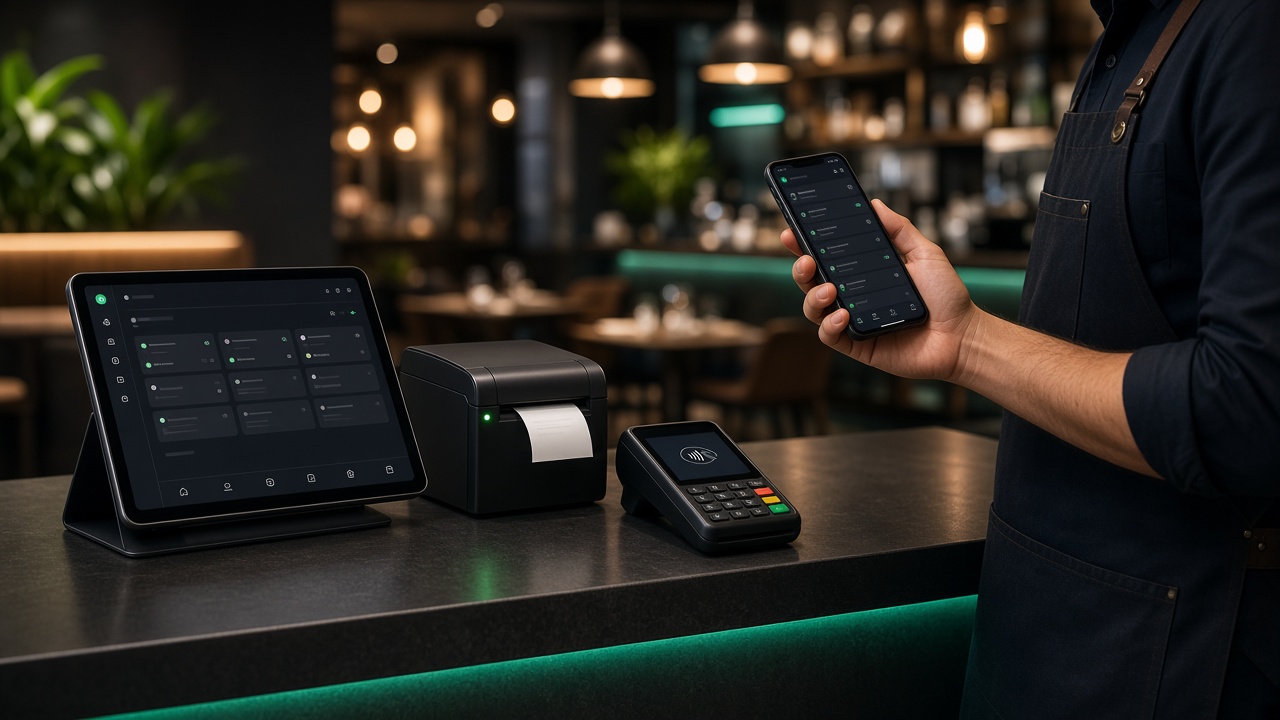
On a busy Friday, the owner of a neighbourhood trattoria watched the proprietary till reboot for the third time while the queue at the counter grew restless. In the office drawer sat two perfectly good Android tablets from a failed loyalty experiment and a phone the floor manager already carried. The lesson was not that technology failed — it was that the restaurant had paid for the right to use only one kind of machine. This article is the story of what changes when you stop renting the ability to run a till and start running POS on the devices you already own: Counter mode at the pass, Waiter mode on the floor, kitchen printers on the network, and card terminals on the same order — without a wall of locked hardware.
When "going digital" still means buying a box
Many operators believe they left hardware lock-in behind when they signed up for a cloud POS. In practice, plenty of vendors still sell a bundle: certified terminal, proprietary printer, annual maintenance, and software that only runs on their appliance. You are digital in the sense that data syncs to the internet, but you are not free in the sense that matters on a Friday night — you cannot grab the spare tablet and keep serving.
That model made sense when general-purpose tablets were slow and payments were exotic. It makes less sense now, when a mid-range phone processes orders faster than a decade-old terminal and every staff member already carries a screen in their pocket. The hidden cost is not only the lease line on the invoice; it is optionality. You cannot add a terrace POS without a sales call. You cannot replace a dead unit from the electronics shop down the road. You wait.
Hardware freedom is not "no hardware." It is choosing hardware the way you choose plates or glassware — commodity, replaceable, and yours to deploy where the floor needs it.
Bring your own device: what it really means
Bring-your-own-device (BYOD) POS means the application runs in a browser or a lightweight app on standard phones and tablets — iOS, Android, or a laptop — instead of a single-purpose till. The intelligence lives in the cloud; the device is a window. For a restaurant owner, the practical translation is simple: the iPad in the back office, the phone in the manager's pocket, and the tablet you were going to buy for the kids' homework can all become part of the service model once they are paired to your brand.
BYOD does not mean chaos. It means pairing known devices to known roles, with permissions that match how you actually run service. The same platform can power a fixed counter screen, a roaming waiter phone, and a kitchen display on a wall-mounted tablet — each device authenticated, each action logged, each ticket part of one journal.
Counter POS and Waiter POS: two jobs, one system
Front of house is not one job. The person at the counter needs speed, cash handling, quick modifiers, and a clear view of the queue. The person on the floor needs table context, coursing, splits, and the ability to add items without walking back to a fixed station. Legacy stacks often solve this by buying two kinds of hardware or two software modules. A unified platform instead offers Counter and Waiter experiences tuned to each role while sharing menus, prices, inventory signals, and fiscal settings.
- Counter mode — optimised for high-throughput ordering, takeaway names, payment at the pass, and pairing with a receipt printer and card reader at the till.
- Waiter mode — optimised for table numbers, seat splits, sending courses to the kitchen, and taking payment at the table when the guest is ready.
- Shared truth — a price change, an 86'd item, or an allergen update propagates to both modes instantly because they read the same menu graph.
Owners regain layout freedom. Put two counter tablets on a Saturday brunch rush. Give senior servers waiter access on their own phones. Scale down to one device on a quiet Monday without paying for dormant licences on proprietary terminals.
Why role separation matters for accountability
Separate roles are not only UX polish. They underpin permissions: only managers void above a threshold, only counter staff open the cash drawer workflow, only paired devices accept payments for your location. When every handheld is a potential till, role design is how you keep fraud risk and training load under control.
Pairing devices in minutes
Freedom without discipline becomes a security nightmare, so modern systems make enrollment deliberate but fast. In Nigmet, devices are paired from Brand Admin with a short code — staff open pos.nigmet.com on the device, enter the code, and the tablet or phone is bound to that location and role. No installer visit, no flashing firmware, no serial-number spreadsheet maintained in a folder called "FINAL_v3".
The pairing model extends across the estate: kitchen displays, TV signage, print agents, and driver handsets follow the same philosophy — claim the device, assign the role, revoke access when someone leaves. Offboarding a staff member should not require shipping hardware back to a vendor; it requires revoking their login and unpairing their device.
The counter workflow: printers and terminals at the pass
Counter service is where guests measure speed. A capable counter setup combines three peripherals that legacy vendors often sold as a single locked kit: a touchscreen or tablet, a receipt or kitchen printer, and a card terminal. In a BYOD architecture, each peripheral is standard. The tablet runs Counter POS. The printer is a network ESC/POS device reachable via Print Hub. The terminal — whether integrated SoftPOS on a phone or a standalone reader — posts payment against the same open ticket.
The win for owners is swap-ability. If the printer jams, you route tickets to another station or fall back to kitchen display while you fix it. If the terminal needs replacement, you pair a new reader without replacing the POS brain. The order record remains continuous; you are not rebuilding the sale on a new appliance.
The waiter workflow: stay on the floor
Waiter mode exists because steps kill table turns. Every walk back to a fixed till is a minute stolen from hospitality and revenue. A phone in waiter mode lets staff fire appetizers while they are still at table four, see which mains are delayed on the kitchen screen, and close with card or wallet payment when the guest nods — without queueing behind takeaway orders at the counter.
Splits and partial payments, once the nightmare of proprietary systems, become tractable when the payment layer is integrated with the order graph. The fiscal receipt still matches what was consumed because the ticket, not the terminal's memory, owns the truth.
Print Hub: one pipe for kitchen tickets
Printers remain essential in most kitchens. Hardware-free POS does not mean paperless; it means you are not forced to buy the vendor's printer to match the vendor's till. Print Hub pairs network printers with a six-digit code at printer.nigmet.com, with a small print agent on Windows, macOS, or Linux where needed. Tickets from Counter POS, Waiter POS, QR orders, and kitchen display events route through the same hub, so the line sees one coherent stream instead of three incompatible drivers.
- Station routing — grill, cold, bar, and expo can each subscribe to the items they actually produce.
- QR and counter together — a dine-in QR order and a walk-in counter order can both land on the same printer policy without duplicate configuration.
- Replacement — swap the printer, re-pair, resume; no truck roll from a POS manufacturer.
Payment terminals without a second silo
Card acceptance still needs a regulated path, but that path no longer requires a separate software universe. Integrated flows attach payment to the open ticket: the amount is known, tips are captured in context, refunds reference the original charge, and the fiscal receipt can be produced as part of the same closure. Whether you use a connected reader at the counter or wallet pay initiated from a QR or waiter device, the goal is identical — no re-keying amounts into a standalone terminal that might disagree with the POS by a euro on a busy night.
Owners should still ask hard questions about offline behaviour, settlement timing, and dispute visibility. BYOD does not remove PCI obligations; it narrows scope when card data is tokenised by the processor and never stored on the tablet. The device becomes a display and trigger, not a vault.
What you buy once versus what you stop renting
A honest BYOD budget separates capital you control from subscriptions you choose. You might buy two counter tablets, one spare, a network printer, and a card reader — all commodity. You subscribe to the operating system that connects them. You stop renting proprietary terminals whose replacement is a contract negotiation. Over three years, the total cost of ownership often shifts dramatically because failure and growth are cheap: add a waiter phone by pairing, not by purchasing another locked till licence.
Illustrative thinking, not a vendor quote: three legacy stations might each carry hardware lease, maintenance, and software fees. Three commodity tablets plus one platform subscription replace much of that stack with gear you could source locally and spares you can hold in a drawer.
Friday-night resilience
Resilience is where BYOD pays emotional dividends. When the primary counter tablet dies, you sign in on the spare, pair if needed, and continue within minutes. When the internet flickers, a serious platform queues transactions locally and reconciles when connectivity returns — the question to ask any vendor is what happens to an in-flight order during that window, not whether they claim "cloud".
Train for the spare-device drill the way you train for fire exits: once a quarter, swap the main counter to the backup and run a service. If it takes longer than five minutes, fix the process before guests discover it for you.
Security hygiene on everyday devices
Using standard hardware shifts some responsibility to the operator, but the practices are mainstream: enable guided access or kiosk mode on shared tablets, issue individual staff logins, keep OS updates current, and segregate guest Wi-Fi from the network that carries POS traffic. Commodity devices receive security patches for years; ageing proprietary terminals often do not. The attack surface you care about is less the tablet than the credentials on it — which is why pairing plus per-user permissions matter as much as firewall rules.
Compliance as part of the same ticket
In regulated markets, a payment is only complete when the receipt and fiscal record match the sale. Bolt-on terminals that do not speak to the POS recreate the ancient problem of mismatched totals. An integrated stack signs and receipts the ticket that Counter or Waiter mode created, so auditors see one sequence, not two reconciliations held together with spreadsheets. Deeper treatment of European fiscal tooling lives in our fiscal compliance feature page and dedicated compliance articles; the BYOD point is narrower — device freedom should not trade away recording integrity.
Where Nigmet fits
Nigmet is an AI-native restaurant operating system built for BYOD from the first line of code. Counter and Waiter POS run at pos.nigmet.com on the tablets and phones you choose. Device pairing, kitchen printers, kitchen display, QR ordering, and payments share one menu, one permissions model, and one fiscal journal. Print Hub routes tickets without proprietary printer contracts. Owners on the Operations plan pair multiple POS devices per location — counter and waiter split included — without buying a rack of identical terminals from a single manufacturer.
If you are evaluating hardware, our hardware (BYOD) guide lists practical peripherals that work with commodity pairing rather than locked SKUs. If you are comparing costs, the POS feature overview and device pairing pages show how the pieces connect without a second vendor in the middle.
Evaluation checklist for owners
Before you renew another terminal lease, walk through these questions with any vendor — including us:
- Can Counter and Waiter roles run on separate devices without separate SKUs?
- How fast can I pair a replacement tablet, and what breaks if I do?
- Do QR, counter, and waiter orders share one kitchen and printer routing ruleset?
- Are printers and card readers commodity, or must I buy your model?
- What happens offline for order capture and payment for ten minutes?
- Does every channel produce one fiscal sequence, or do I reconcile terminals manually?
- Can I export my data if I leave, or am I hostage to your hardware?
Strong answers should sound boring — pairing codes, standard printers, integrated tickets — not like a professional services project.
Metrics that prove it is working
Track device uptime per role, average table turn time before and after waiter phones, reprint rate from Print Hub, and payment mismatch exceptions. When BYOD works, mismatch exceptions trend toward zero and staff stop asking "which till should I use?"
Growing the floor without growing the hardware bill
Seasonal terraces, festival pop-ups, and a second service line at brunch used to mean new terminals and new contracts. With BYOD, growth is mostly pairing: another tablet for the outdoor bar, a spare phone for the expo station, a kitchen screen where the pass got crowded. You pay for the platform capacity your plan includes, not for another proprietary brain in a plastic shell. When the season ends, devices return to the drawer without a lease that keeps charging you.
Multi-location groups benefit the same way: each site pairs its own counter and waiter fleet under one brand menu, with permissions and fiscal settings scoped per address. Head office sees consolidated reporting; each manager controls the devices on their floor. That is the operational freedom owners describe when they say they want POS to feel like software, not like furniture.
The bottom line
Hardware-free POS is not a gimmick about avoiding screens; it is ownership of how those screens are deployed. Counter and Waiter modes let you match tools to roles. Print Hub and standard terminals let you build a pass that fits your space, not a vendor's catalogue. Pairing lets you grow and recover without a service ticket. The restaurants that feel most agile are not the ones with the shiniest proprietary till — they are the ones that can open the drawer, grab a tablet, and keep serving.
Start with one counter tablet and one waiter phone on a quiet service. Pair them, run ten real orders through printer and card flow, then decide whether you still need the locked box at all.
Ready to run Counter and Waiter POS on your own devices? Compare Operations plans and device limits on our pricing page, or read the BYOD hardware guide before your next service.